
Vessel Tide | A Guide to Essential Maritime Data Analytics Systems » Ship Management System Fundamentals » 7 Ship Management System Implementation Mistakes to Avoid
7 Ship Management System Implementation Mistakes to Avoid
Most ship management system rollouts don't fail because the software was wrong for the fleet — they fail somewhere in the months after the contract is signed, when the requirements nobody wrote down, the data nobody planned to migrate, or the crew nobody consulted starts working against the project. The same handful of mistakes shows up across fleets, regardless of which vendor is selected, and most of them are avoidable with a few decisions made before implementation starts rather than after something breaks.
Key Takeaways
- Requirements gaps and vague vendor contracts cause more implementation pain than the choice of software itself — write down what "done" looks like before signing.
- A system that can't export data in an open format turns a future vendor switch into a migration project, not a configuration change.
- Crews who weren't consulted during selection tend not to adopt the system after go-live, regardless of how good the software is.
- Confirm support response times, hidden costs, and vendor references before signing — after go-live is the wrong time to discover any of these.
What This Page Covers
This page covers seven mistakes that show up repeatedly during ship management system implementation, based on recurring implementation issues seen across the industry. You'll see what goes wrong when requirements aren't defined clearly, when a system locks your data into a closed format, when onboard crews are left out of the selection process, and when support, cost, and vendor track record aren't checked before signing. A checklist at the end pulls these into a set of concrete steps to run through before your fleet commits to a vendor.
7 Common Ship Management System Implementation Mistakes
1. Choosing a Vendor Without Defining Requirements First
Selecting a vendor before mapping out exactly what the system needs to do — which vessel types, which functions, which existing tools the system needs to replace — is one of the most common causes of rework after go-live. Without a written requirements list, gaps only surface once crews and shore staff start using the system in production, and by then, adding a missing function means a change request, a delay, and often an additional fee. Build the requirements list first, based on how your fleet actually operates today, and only then start vendor conversations — otherwise the vendor's own feature list ends up defining your requirements instead of the other way around.
2. Choosing a System With a Closed Data Format
A system that stores your data in a proprietary format works fine until the day you need to switch vendors, add a new integration, or hand data to a class society or charterer in a specific format — and only then do you discover how much it costs to get your own data back out. Confirm before signing whether the system supports standard export formats and whether data extraction is a built-in feature or a paid professional-services request. This single check can make the difference between a relatively straightforward vendor switch and a multi-month migration project.
3. Rolling Out Without Involving the Crew
A system selected entirely by shore-side management, without input from the officers and crew who'll use it daily, tends to face quiet resistance after go-live — not open refusal, but a slow drift back to the spreadsheets and paper logs the system was supposed to replace. Crews who weren't consulted during selection often find the workflow doesn't match how they actually operate onboard, and nobody flagged that mismatch before the contract was signed. Include representative crew and shore staff in requirements gathering and in testing before rollout, not just in a training session after the system is already live.
4. Not Confirming the Support Model Before Signing
Assuming support will be adequate because a sales conversation went well means fleets don't find out what the support model actually looks like until something breaks mid-voyage. Confirm response-time commitments, which time zones support actually covers, and whether routine questions go to a dedicated contact or a general ticket queue — before signing, not during an incident. A vendor with strong software but limited support can create operational risk of its own, even if the underlying system is otherwise a good fit.
5. Comparing License Fees Without Checking Hidden Costs
Comparing vendors on the subscription or license fee alone hides the costs that show up later — implementation, onboard hardware installation, training, and premium support tiers can add substantially to the initial quoted cost. A vendor that looks cheaper on the license line can end up more expensive across the first year once these are added, and fleets that compare only headline pricing often find this out after the contract is signed rather than before. Request an itemized quote covering implementation, training, and support alongside the license fee, and compare vendors on that full total, not the subscription line alone.
6. Underestimating Data Migration and Legacy System Integration
Treating data migration as a minor technical step rather than a project of its own tends to produce data quality problems that surface months after go-live — duplicate vessel records, incomplete maintenance histories, or figures that don't reconcile with the legacy system they came from. Migrating years of maintenance logs, crew records, and voyage data across multiple ship-specific systems takes real planning, and skipping that planning step can cause implementations to stall or require significant rework. Assess your existing data quality and volume before migration starts, and treat data cleanup as a distinct phase with its own timeline rather than an assumed side effect of go-live.
7. Skipping Reference Checks and Track Record Verification
Selecting a vendor based on a demo and a proposal, without confirming their track record with fleets of a similar size and vessel type, means finding out the hard way whether the vendor can actually support your specific operating profile. A vendor's largest client or flagship case study doesn't necessarily reflect how they perform for a fleet like yours — ask for references specifically from comparable operators, and ask those references direct questions about support responsiveness and implementation timelines rather than accepting a general recommendation at face value.
A Checklist for Avoiding These Mistakes
Before signing with a ship management system vendor, run through this checklist:
- Write down your requirements — vessel types, functions, and existing tools to replace — before starting vendor conversations.
- Confirm the system supports open, exportable data formats, and ask what it costs to extract your own data.
- Include crew and shore staff representatives in requirements gathering and pre-rollout testing, not just post-launch training.
- Get support response-time commitments and time zone coverage in writing before you sign.
- Request an itemized quote — license, implementation, training, and support — rather than comparing subscription fees alone.
- Treat data migration as its own project phase, with a data quality assessment before migration starts.
- Ask for references from fleets of a similar size and vessel type, and speak with them directly.
Editorial Summary
Many ship management system implementation problems trace back to decisions that were missed before the contract was signed, rather than flaws discovered after go-live. Defining requirements, checking data portability, involving the crew, and verifying support and references upfront turn implementation from a recurring source of rework into a project your fleet can actually predict.
[Advertisement]
3 Recommended
Marine Fleet Management Software
3 Recommended
Marine Fleet Management Software
Advertiser Disclosure:
We receive compensation from some of the companies listed below.This compensation may affect which companies are included and the order in which they appear.
For Frequent Hazardous
or Long-Distance
Voyages
For Marine Fleet
Management Companies
or Long-Distance
Voyages
For Marine Fleet
Management Companies
MaSSA-One

* Image source: BEMAC Official
Website
(https://www.massa-one.com/english/)
(https://www.massa-one.com/english/)
Core Capabilities
Condition monitoring and anomaly detection
- Enables early detection of anomalies using data-driven automatic thresholds and expert-defined multi-condition detection.
- In the event of a failure, real-time data helps speed up root-cause identification, reducing downtime.
- This supports the prevention of future accidents and issues, contributing to reduced damage and losses involving vessels and cargo.
For Companies with
Frequent Business
in the EU
For Marine Shipping
Companies
Frequent Business
in the EU
For Marine Shipping
Companies
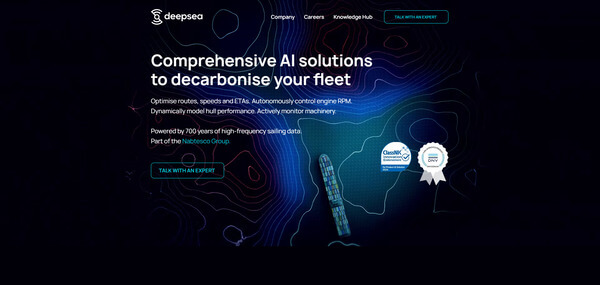
DeepSea
* Image source: DeepSea Official
Website
(https://www.deepsea.ai/)
(https://www.deepsea.ai/)
Core Capabilities
AI Fuel, CII &
Route Optimization
Route Optimization
- With the CII tracking feature, AI helps maintain and predict vessel performance.
- AI dynamically evaluates speeds and routes to suggest more fuel-efficient alternatives
- While complying with Europe-specific restrictions and regulations, it supports operations aimed at lower fuel consumption.
For Fleets with a Mix
of Older and Newly
Built Vessels
For Independent Ship
Management Companies
of Older and Newly
Built Vessels
For Independent Ship
Management Companies
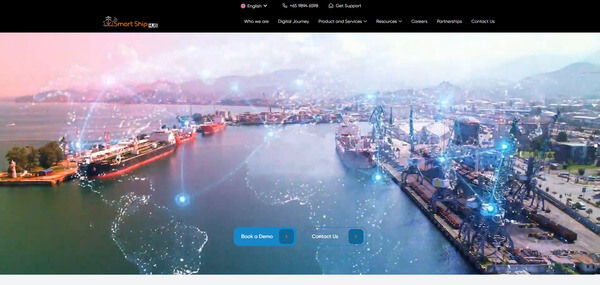
Smart Ship Hub
* Image source: Smart Ship Hub Official
Website
(https://smartshiphub.com/)
(https://smartshiphub.com/)
Core Capabilities
Data integration across a mixed fleet
- Supports aggregation of vessel data across different manufacturers and standards, as well as data from multiple vessels.
- Visualizes information distributed across onboard systems and supports building an environment for centralized management.
- Supports information sharing between shore teams and fleets with older vessels, older equipment, newly built vessels and new equipment.