
Vessel Tide | A Guide to Essential Maritime Data Analytics Systems » Ship Management System Fundamentals » Cloud vs On-Premise Ship Management Systems: Which Deployment Model Fits Your Fleet?
Cloud vs On-Premise Ship Management Systems: Which Deployment Model Fits Your Fleet?
*1.Cloud now accounts for more than half of the marine management software market, according to recent market data, but that statistic hides more than it reveals. "Cloud" covers everything from a legacy desktop system rehosted on a remote server to a fully browser-based platform built from scratch — and the difference between those two determines whether your fleet gets real-time visibility or just a different place to store the same delayed data. Choosing between cloud and on-premise ship management software means first understanding which version of "cloud" a vendor is actually offering.
*1 Source: Marine Management Software Market Size & Report Overview 2031
Source: https://www.mordorintelligence.com/industry-reports/marine-management-software-market (https://www.mordorintelligence.com/industry-reports/marine-management-software-market )
Key Takeaways
- "Cloud" is not one thing — hosted-legacy, hybrid, and cloud-native systems behave very differently at sea, even when vendors use the same marketing label.
- On-premise still makes sense for fleets with strict internal IT governance or limited, unreliable connectivity, but it shifts the maintenance and update burden onto your own team.
- Satellite connectivity (especially newer LEO networks) has narrowed the practical gap between cloud and on-premise, but it hasn't closed it — offline resilience still needs to be confirmed vessel by vessel.
- Before signing with any vendor, ask exactly how data reaches shore, how often it syncs, and what happens on the vessel when the connection drops — the answers reveal which architecture you're really buying.
What Is Cloud-Based Ship Management Software?
Cloud-based ship management software runs on remote infrastructure rather than on servers managed directly by your company, and is typically accessed through a browser or app rather than software installed on a local machine. Shore staff can open the same dashboard from an office, a phone, or a laptop at home, and every user sees the same data at the same time because users are working from a shared system rather than separate copies scattered across vessels and offices.
The label covers a wide range of designs, though. Some cloud platforms are simply older desktop systems moved onto a hosting provider's servers, keeping the original architecture and batch-based data transfer intact. Others are built cloud-native from the ground up, with real-time data pipelines and no onboard installation beyond a browser. Both get called "cloud," but they deliver very different day-to-day experiences — a distinction we'll unpack in more detail later in this guide.
What stays consistent across cloud deployments is who carries the maintenance load: the vendor patches, upgrades, and secures the servers, so your team isn't the one applying updates across every vessel in the fleet.
What Is On-Premise Ship Management Software?
On-premises ship management software runs on infrastructure your company owns or directly controls — installed either onboard the vessel, at a shore office, or both — rather than on infrastructure managed by the software vendor. Your own IT staff install updates, manage backups, and troubleshoot outages, which means the core system can continue operating even if connectivity to the vendor's infrastructure is lost.
This model appeals most to companies with strict internal data-governance policies, since every server, backup, and access log stays inside infrastructure the company directly controls rather than a third party's cloud environment. It also tends to suit vessels operating in regions with limited or unreliable satellite connectivity, where dependence on a constant link to a remote server is a liability rather than a convenience.
The trade-off is that your company absorbs the costs cloud vendors usually carry: hardware refreshes, version upgrades rolled out vessel by vessel, and in-house expertise to keep the system secure and current across the fleet.
Key Differences
The core trade-off is who carries the operational burden: cloud shifts maintenance and updates to the vendor, while on-premise keeps control — and the workload — inside your own organization.
| Dimension | Cloud-Based | On-Premise |
|---|---|---|
| Cost structure | Subscription-based (OpEx), minimal upfront hardware spend | Upfront hardware and licensing investment (CapEx), plus ongoing IT staffing |
| Maintenance and updates | Handled by the vendor, pushed fleet-wide at once | Handled by your own IT team, applied vessel by vessel |
| Accessibility | Available from any browser — office, home, or mobile | May require VPN or other remote-access infrastructure |
| Data ownership | Stored on vendor-managed infrastructure | Stored on company-controlled infrastructure |
| Connectivity dependence | Needs a working link to sync current data | Core functions can operate without a continuous internet connection |
| Scalability | Add vessels or users without new hardware | Each new vessel or user may require additional infrastructure |
The Cloud Spectrum: Hosted Legacy vs Hybrid vs Cloud-Native
Two vendors can both call their product "cloud-based" while delivering completely different systems — the difference sits on a spectrum, not a single checkbox.
Hosted Legacy
A hosted-legacy system takes an existing desktop application and moves its servers to a remote data center, without redesigning how the software works. Vessels often still need local installations, and data reaches shore in scheduled batches rather than continuously, so shore staff may be looking at information that's hours old.
Hybrid
A hybrid system splits functions between local and cloud components: some data and processing stay onboard, while other parts sync to the cloud on a schedule or when connectivity allows. This suits fleets that need some functions to keep working uninterrupted at sea while still getting shore-side visibility for reporting and fleet-wide oversight.
Cloud-Native
A cloud-native system is built from the start to run entirely through a browser, with no dedicated onboard server required. Data updates continuously rather than in batches, and every user — onboard or ashore — works from the same live record instead of a copy that needs to be reconciled later.
Where a vendor's product sits on this spectrum determines nearly everything that follows: cost structure, update speed, and how much the system depends on a constant connection to work as intended.
Why Connectivity at Sea Changes the Calculus
A cloud system that works flawlessly in a shore-based office can behave very differently once the vessel it depends on loses signal mid-ocean. This is one of the biggest variables that makes ship management software different from cloud software built for land-based fleets — connectivity at sea has historically been slower, less consistent, and far more expensive per megabyte.
Traditional VSAT connections have typically delivered 2–10 Mbps, enough for periodic data batches but not for continuous, high-frequency syncing. Newer low-earth-orbit (LEO) satellite networks change that math significantly, with reported speeds around 100–200 Mbps and latency under 50 milliseconds in favorable conditions — bandwidth that starts to make cloud-native, real-time architectures practical at sea in a way they weren't a few years ago.
That said, LEO coverage and performance still vary by route and provider, so a cloud-native system needs a credible answer for what happens during a dropout: does it queue data locally and sync automatically once the link returns, or does it simply stop working until connectivity is restored? For fleets operating in regions with less reliable coverage, this single question often matters more than the cost differences outlined earlier.
Which One Do You Need?
Start with cloud-based software if your fleet operates across multiple offices, or if your shore staff need to check vessel status from outside a single location — the shared dataset makes it easier to keep shore teams working from the same information, and you avoid taking on server maintenance your team isn't staffed to handle. This is often a practical starting point for growing fleets and companies without a dedicated onboard IT function.
Consider on-premise if your organization operates under data-governance rules that require infrastructure to stay fully within company control, or if a meaningful share of your fleet sails routes with limited, unreliable satellite coverage where dependence on constant connectivity would create more operational risk than it removes. This is also the more common choice for companies that already have in-house IT capacity built for exactly this kind of maintenance.
If neither answer fits cleanly, a hybrid deployment is worth evaluating before committing either way — particularly for fleets that need some functions to keep running uninterrupted onboard while still getting shore-side visibility for reporting. Whichever direction you lean, confirm with the vendor where their specific product actually sits on the hosted-legacy-to-cloud-native spectrum described above; the label on the brochure tells you less than the answer to that question does.
Conclusion
Cloud and on-premise ship management software solve the same underlying problem — keeping vessel and shore teams working from the same information — through fundamentally different operating models. Neither is universally correct: the right choice depends on how your fleet is structured, how reliable your connectivity actually is route by route, and how much maintenance work your organization is equipped to take on directly. The more useful question isn't "cloud or on-premise," but where a specific vendor's system actually falls on the spectrum between them — and whether that architecture holds up the day your vessel loses signal in the middle of a voyage.
[Advertisement]
3 Recommended
Marine Fleet Management Software
3 Recommended
Marine Fleet Management Software
Advertiser Disclosure:
We receive compensation from some of the companies listed below.This compensation may affect which companies are included and the order in which they appear.
For Frequent Hazardous
or Long-Distance
Voyages
For Marine Fleet
Management Companies
or Long-Distance
Voyages
For Marine Fleet
Management Companies
MaSSA-One

* Image source: BEMAC Official
Website
(https://www.massa-one.com/english/)
(https://www.massa-one.com/english/)
Core Capabilities
Condition monitoring and anomaly detection
- Enables early detection of anomalies using data-driven automatic thresholds and expert-defined multi-condition detection.
- In the event of a failure, real-time data helps speed up root-cause identification, reducing downtime.
- This supports the prevention of future accidents and issues, contributing to reduced damage and losses involving vessels and cargo.
For Companies with
Frequent Business
in the EU
For Marine Shipping
Companies
Frequent Business
in the EU
For Marine Shipping
Companies
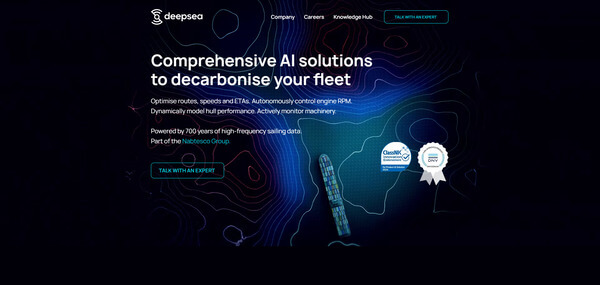
DeepSea
* Image source: DeepSea Official
Website
(https://www.deepsea.ai/)
(https://www.deepsea.ai/)
Core Capabilities
AI Fuel, CII &
Route Optimization
Route Optimization
- With the CII tracking feature, AI helps maintain and predict vessel performance.
- AI dynamically evaluates speeds and routes to suggest more fuel-efficient alternatives
- While complying with Europe-specific restrictions and regulations, it supports operations aimed at lower fuel consumption.
For Fleets with a Mix
of Older and Newly
Built Vessels
For Independent Ship
Management Companies
of Older and Newly
Built Vessels
For Independent Ship
Management Companies
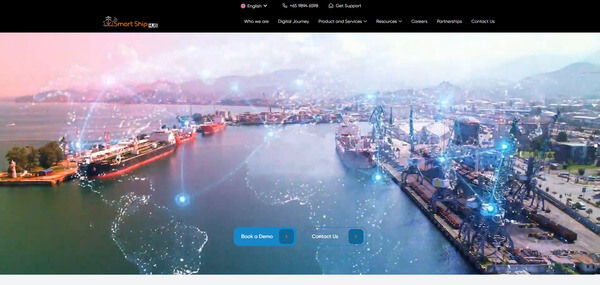
Smart Ship Hub
* Image source: Smart Ship Hub Official
Website
(https://smartshiphub.com/)
(https://smartshiphub.com/)
Core Capabilities
Data integration across a mixed fleet
- Supports aggregation of vessel data across different manufacturers and standards, as well as data from multiple vessels.
- Visualizes information distributed across onboard systems and supports building an environment for centralized management.
- Supports information sharing between shore teams and fleets with older vessels, older equipment, newly built vessels and new equipment.