
Vessel Tide | A Guide to Essential Maritime Data Analytics Systems » Ship Management System Fundamentals » Ship Management Software Vendor Evaluation: 8 Criteria to Check Before You Sign
Ship Management Software Vendor Evaluation: 8 Criteria to Check Before You Sign
A ship management software decision made purely on the monthly subscription fee tends to get expensive later, once implementation gaps, support limitations, and locked-in data show up after the contract is signed. The vendor quoting the lowest license fee isn't necessarily the one that fits your fleet's vessel types, operating routes, or in-house IT capacity — and that difference only becomes visible once the system is already running. Evaluating a ship management software vendor properly means looking past the price line on the quote and checking whether the system, the support model, and the contract terms actually match how your fleet operates.
Key Takeaways
- Price comparisons that stop at the license fee miss the costs that show up later — implementation, training, and data migration if you switch vendors again.
- The vendor whose system best fits your fleet's vessel types and operating routes usually matters more than the vendor with the longest feature list.
- Confirm before signing whether your data can be exported in a usable format — vendor lock-in is far easier to avoid before the contract than after.
- Ask for references from fleets of a similar size and vessel type; a vendor's largest client isn't necessarily proof it can support yours.
What Vendor Evaluation for Ship Management Software Actually Means
Vendor evaluation means judging more than whether the software can perform a list of functions — it means checking whether the vendor's support model, implementation process, and growth path match how your fleet actually operates day to day. Two systems can offer near-identical feature lists on a spec sheet and still produce very different outcomes once installed, because the harder questions sit outside the feature list itself: how quickly support responds when a vessel loses a data feed mid-voyage, how much onboard installation work the vendor's own team handles versus leaving to the crew, and what happens to your historical data if you switch vendors in three years.
A feature comparison is the easy part of vendor evaluation. The comparison that actually predicts whether the relationship works over a multi-year contract has to include fleet fit, support capacity, compliance reporting, cost structure beyond the license fee, and how much control you retain over your own data — the eight criteria covered next.
8 Criteria for Evaluating a Ship Management Software Vendor
1. Match the System to Your Fleet Profile
Start by confirming the vendor has actually configured their system for vessel types like yours — bulk carriers, tankers, and offshore support vessels report different sensor data and face different regulatory requirements, and a system built primarily for one type often needs significant customization to fit another. Ask how many vessels of your specific type and size the vendor currently supports, not just their total client count across all segments. A vendor whose largest reference fleet operates ten VLCCs may not have solved the smaller, more varied technical challenges a mixed fleet of general cargo ships and product tankers presents. Fleet size matters too: a system built for majors managing hundreds of vessels can be over-engineered and costly for a ten-ship independent operator.
2. Check the Functional Scope
Confirm exactly which functions the system covers before assuming it replaces every spreadsheet and standalone tool you're currently using. Some platforms are built primarily around planned maintenance (PMS) and treat performance monitoring or safety management as add-on modules; others start from performance data and treat maintenance scheduling as secondary. Ask the vendor to map their modules against your current workflow item by item — maintenance scheduling, performance monitoring, safety management, crew certification, procurement — rather than accepting a general claim of "full fleet management." Where the system doesn't cover a function you need, find out whether that gap is filled through a bundled partner integration or left entirely to you.
3. Test Data Collection and Integration Extensibility
Check whether the system can pull data from the sensors and onboard systems you already have installed, rather than requiring you to replace working hardware to fit the vendor's preferred data sources. A system with genuinely open data collection typically supports common maritime interfaces — such as Modbus, NMEA, or OPC UA — and documents which sensor types and manufacturers it has already integrated with in production, not just in theory. Ask for a specific list of the data sources it currently ingests from a fleet similar to yours, and confirm whether adding a new sensor type later requires a custom development project or a standard configuration step.
4. Assess the Implementation and Support Model
Confirm who actually installs and configures the system on each vessel — some vendors send technicians to handle onboard installation and sensor setup directly, while others ship documentation and leave the work to the vessel's crew or a third-party contractor. Ask what happens when something goes wrong: what's the guaranteed response time for a support ticket, is support available across the time zones your fleet operates in, and is there a dedicated contact or a general queue. Training matters too — confirm whether onboard crew and shore staff get structured training as part of onboarding, or whether they're expected to learn the system through trial and error after go-live.
5. Confirm Regulatory and Compliance Reporting
Check that the system produces the specific compliance reports your fleet needs to file, not just a generic claim of "regulatory support." Confirm CII rating calculations and SEEMP-related reporting are built in and kept current as IMO requirements change, and ask whether the vendor updates these calculations automatically fleet-wide or requires a manual update per vessel. For ISM Code-related documentation, verify the system can produce audit-ready maintenance and safety records rather than raw data that still needs manual formatting before a port state control inspection or class survey. If your fleet operates under a specific flag state or class society with additional requirements, confirm the vendor already has experience with that combination.
6. Ask for Track Record and References
Request references from fleets of a similar size and vessel type to yours, not just the vendor's largest or most recent client. Ask how long the reference client has actually used the system in production, not just since the contract was signed — a client six months into rollout can't yet speak to how the vendor handles multi-year support. Where possible, ask the reference directly about response times during an actual incident rather than their general satisfaction. A vendor's case study is written by their own marketing team; a reference call gets you the parts that didn't make the case study.
7. Compare Total Cost of Ownership, Not Just License Fees
Add implementation costs, training time, sensor or hardware retrofitting, and ongoing support fees to the license quote before comparing vendors on price. A lower monthly subscription can still work out more expensive over three years if it comes with a longer implementation timeline, mandatory paid training sessions, or support tiers that push routine questions into a paid-escalation queue. Ask each vendor for a full cost breakdown covering year one (implementation plus license) and years two and three (license, support, and any anticipated upgrade fees) rather than comparing headline subscription prices alone. This total figure is what actually determines whether the cheaper-looking option remains cheaper once it's running.
8. Clarify Data Ownership and Security
Confirm in writing that your vessel and voyage data belongs to your company, not the vendor, and that you can export it in a usable format — not a proprietary file only their own software can open — if you switch systems later. Ask what happens to your historical data if you terminate the contract: whether it's returned, how long it's retained, and in what format. On security, request evidence of the vendor's certifications, such as ISO 27001, and ask specifically how they handle data in transit between vessel and shore, not just how their servers are secured once data arrives. Vendor lock-in is far easier to avoid before signing than after your fleet's operational history is sitting on someone else's platform.
Questions to Ask Before You Sign
- What vessel types and fleet sizes do you currently support in production, not just in your marketing materials?
- Which sensor types and onboard systems does your platform already integrate with, and what's required to add a new one?
- Does your team handle onboard installation directly, or is that left to the vessel's crew or a third party?
- What's the guaranteed response time for a support ticket, and is support available across our fleet's time zones?
- Can you produce CII and SEEMP-related reports automatically, fleet-wide, without a manual update per vessel?
- Can we speak directly with a reference client operating a similar fleet, rather than just review a case study?
- What is the full cost for year one and years two through three, including implementation, training, and support?
- Can we export our data in a non-proprietary format if we terminate the contract, and what happens to historical records?
Frequently Asked Questions
1. How should I compare ship management software vendors?
Compare them against your own fleet's requirements first — vessel types, functions needed, and compliance reporting — rather than starting from a generic feature list, then narrow to vendors with real experience at your fleet's size.
2. What's the risk of choosing the cheapest system?
The lowest license fee often excludes implementation, training, and support costs that appear later, and a system built for a different fleet profile can require costly customization to fit yours.
3. How long should a pilot or trial period run?
Long enough to test the system against real historical data from a representative vessel, including how it behaves when connectivity drops — a few weeks is rarely enough to reveal that.
3 Recommended
Marine Fleet Management Software
Marine Fleet Management Software
For Frequent Hazardous
or Long-Distance
Voyages
For Marine Fleet
Management Companies
or Long-Distance
Voyages
For Marine Fleet
Management Companies
MaSSA-One

* Image source: BEMAC Official
Website
(https://www.massa-one.com/english/)
(https://www.massa-one.com/english/)
Core Capabilities
Condition monitoring and anomaly detection
- Enables early detection of anomalies using data-driven automatic thresholds and expert-defined multi-condition detection.
- In the event of a failure, real-time data helps speed up root-cause identification, reducing downtime.
- This supports the prevention of future accidents and issues, contributing to reduced damage and losses involving vessels and cargo.
For Companies with
Frequent Business
in the EU
For Marine Shipping
Companies
Frequent Business
in the EU
For Marine Shipping
Companies
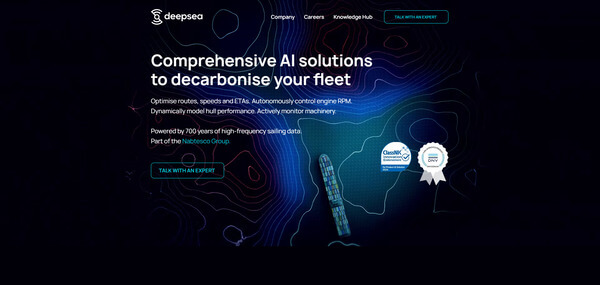
DeepSea
* Image source: DeepSea Official
Website
(https://www.deepsea.ai/)
(https://www.deepsea.ai/)
Core Capabilities
AI Fuel, CII &
Route Optimization
Route Optimization
- With the CII tracking feature, AI helps maintain and predict vessel performance.
- AI dynamically evaluates speeds and routes to suggest more fuel-efficient alternatives
- While complying with Europe-specific restrictions and regulations, it supports operations aimed at lower fuel consumption.
For Fleets with a Mix
of Older and Newly
Built Vessels
For Independent Ship
Management Companies
of Older and Newly
Built Vessels
For Independent Ship
Management Companies
Smart Ship Hub
* Image source: Smart Ship Hub Official
Website
(https://smartshiphub.com/)
(https://smartshiphub.com/)
Core Capabilities
Data integration across a mixed fleet
- Supports aggregation of vessel data across different manufacturers and standards, as well as data from multiple vessels.
- Visualizes information distributed across onboard systems and supports building an environment for centralized management.
- Supports information sharing between shore teams and fleets with older vessels, older equipment, newly built vessels and new equipment.